Variable Use Examples
This document provides visual and code excerpt examples of how you can apply variables when configuring nodes in the Node Editor or File Editor and when you configure variation variables.
Use variables in node configurations
You can use variables in recipe variations to define connections, file paths, tests, and vault secrets.
Reference most variables with {{ }} Jinja syntax .
Note there are some exceptions. See Variables Syntax for more information.
Click
When you select a variable from the list, the variable will populate the field with the correct syntax.
Tip
Variables can also be used for injecting vault
Node configuration examples
Navigate to the Node Editor or File Editor to configure a node.
Connections tab
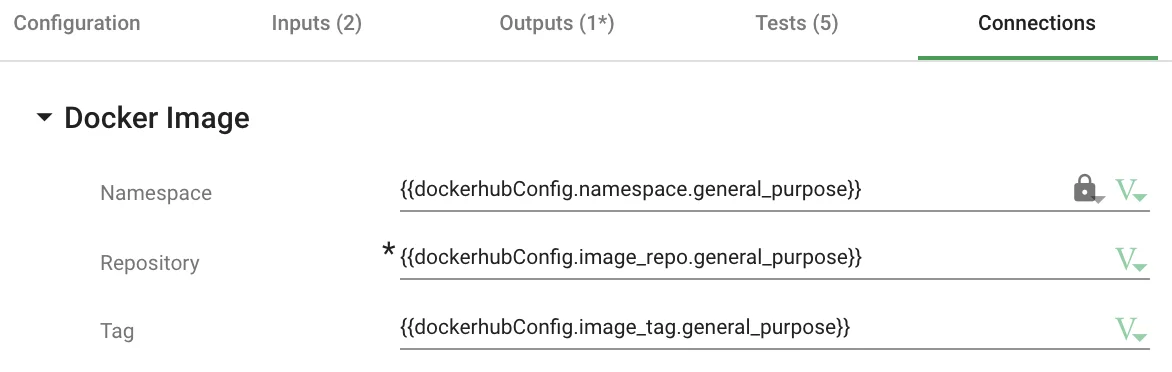
Container image
notebook.json
{
  "image-repo":
    "{{dockerhubConfig.image_repo.general_purpose}}",
  "image-tag":
    "{{dockerhubConfig.image_tag.general_purpose}}",
  "dockerhub-namespace":
    "{{dockerhubConfig.namespace.general_purpose}}",
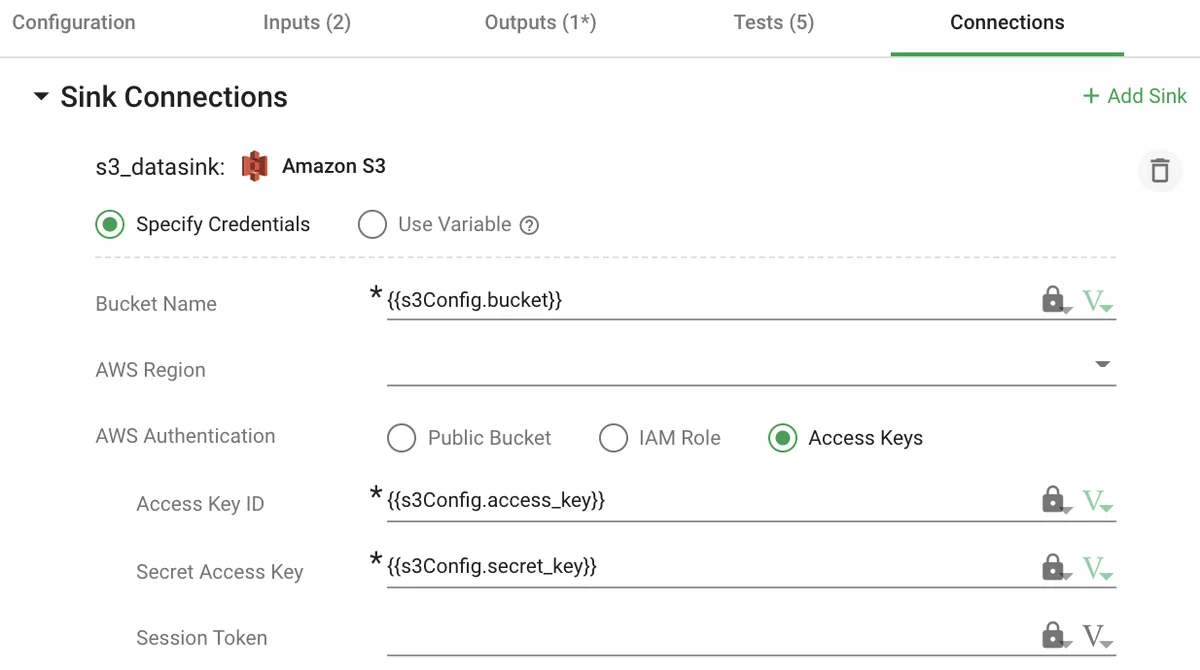
Data source or sink credentials
data_sinks/s3_datasink.json
{
  "name": "s3_datasink",
  "type": "DKDataSink_S3",
  "config": {
    "access-key": "{{s3Config.access_key}}",
    "secret-key": "{{s3Config.secret_key}}",
    "bucket": "{{s3Config.bucket}}"
  },
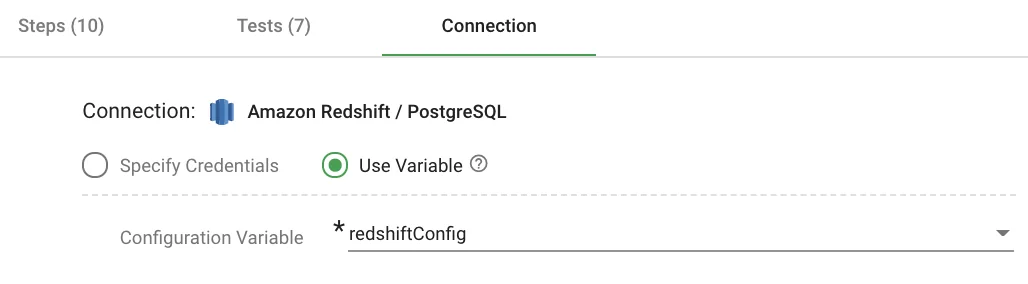
Dictionary variable
actions/load.json
{
  "name": "load",
  "type": "DKDataSource_PostgreSQL",
  "config-ref": "redshiftConfig",
Configuration tab
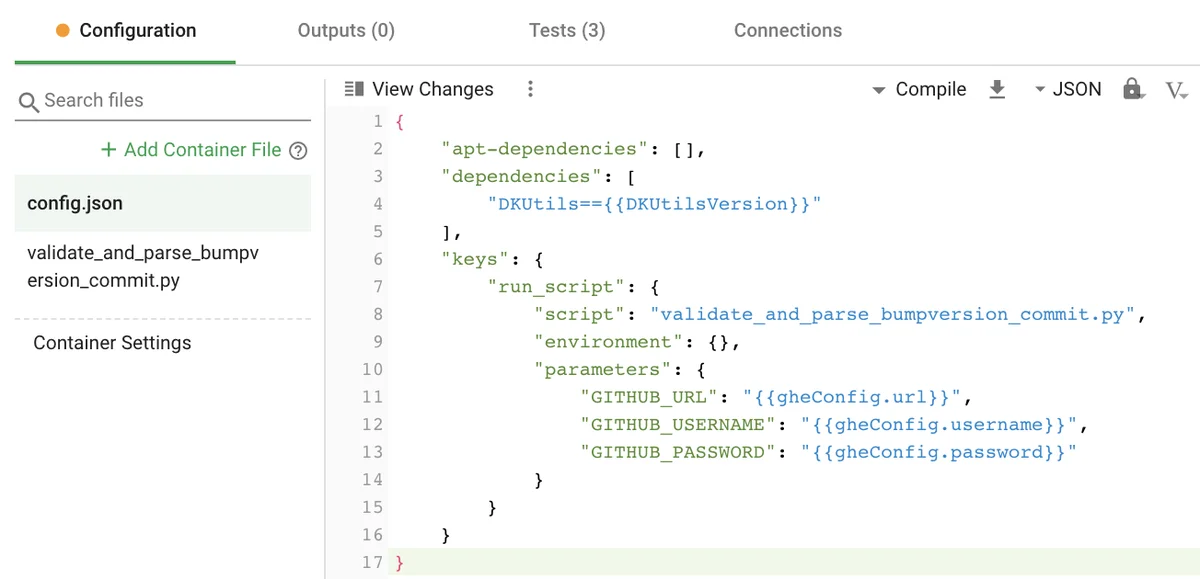
Container dependencies and script parameters
docker-share/config.json
{
  "apt-dependencies": [],
  "dependencies": [
    "DKUtils=={{DKUtilsVersion}}"
  ],
  "keys": {
    "run_script": {
      "script": "validate_and_parse_bumpversion_commit.py",
      "environment": {},
      "parameters": {
        "GITHUB_URL": "{{gheConfig.url}}",
        "GITHUB_USERNAME": "{{gheConfig.username}}",
        "GITHUB_PASSWORD": "{{gheConfig.password}}"
      }
    }
  }
}
notebook.json
{
  "container-input-file-keys": [
    {
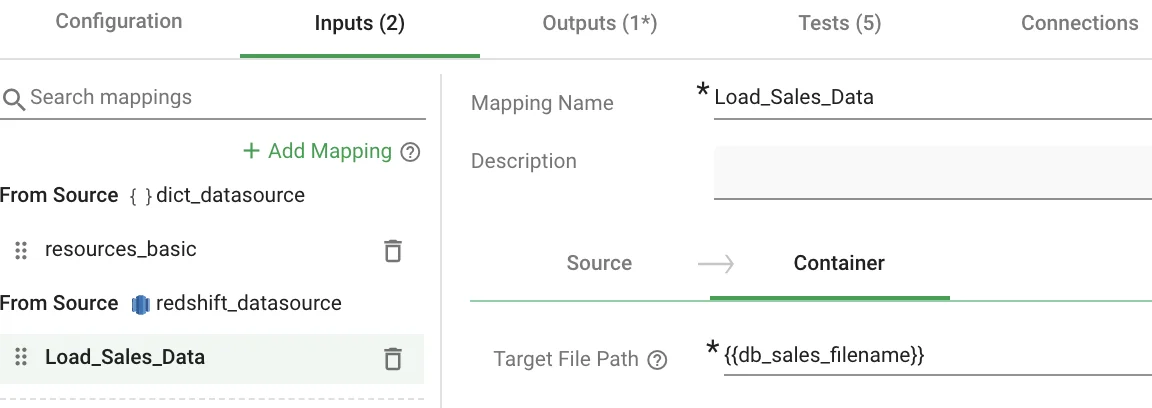
      "filename": "{{db_sales_filename}}",
      "key": "redshift_datasource.Load_Sales_Data"
    }
  ],
Outputs tab
Container outputs
notebook.json
{
  "container-output-file-keys": [
    {
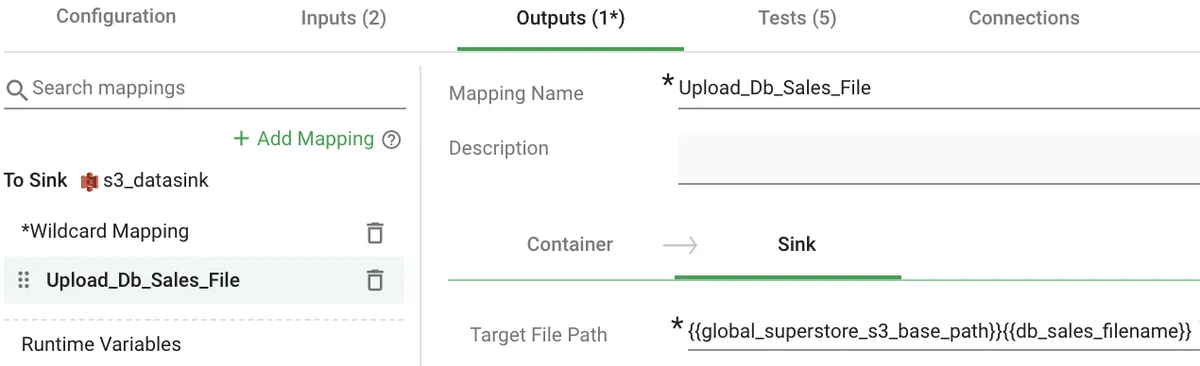
      "filename": "{{db_sales_filename}}",
      "key": "s3_datasink.Upload_Db_Sales_File"
    }
  ],
Container sink mapping and wildcard mapping
data_sources/sink.json
{
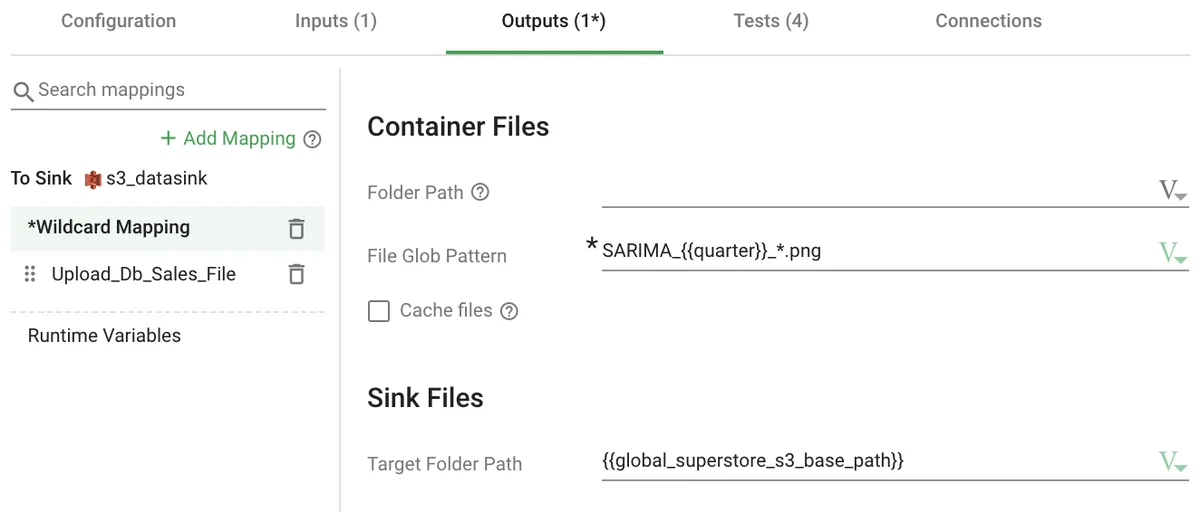
  "wildcard-key-prefix":
    "{{global_superstore_s3_base_path}}",
  "keys": {
    "Upload_Db_Sales_File": {
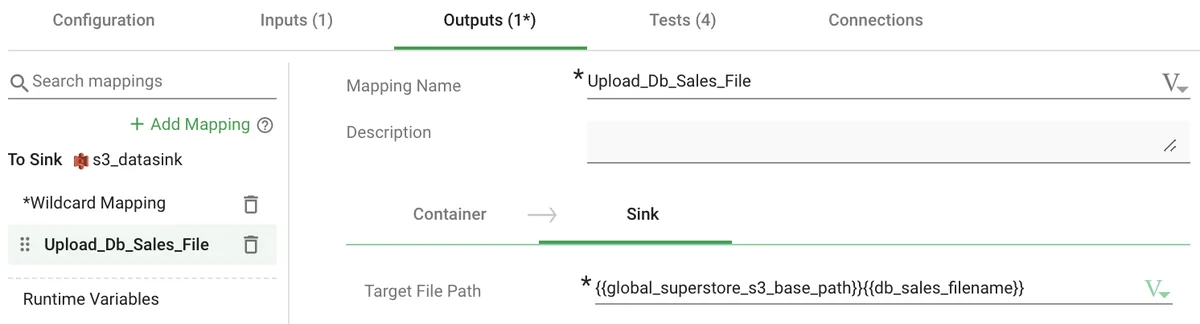
      "file-key":
        "{{global_superstore_s3_base_path}}{{db_sales_filename}}",
      "use-only-file-key": true
    }
  }
}
Mappings tab
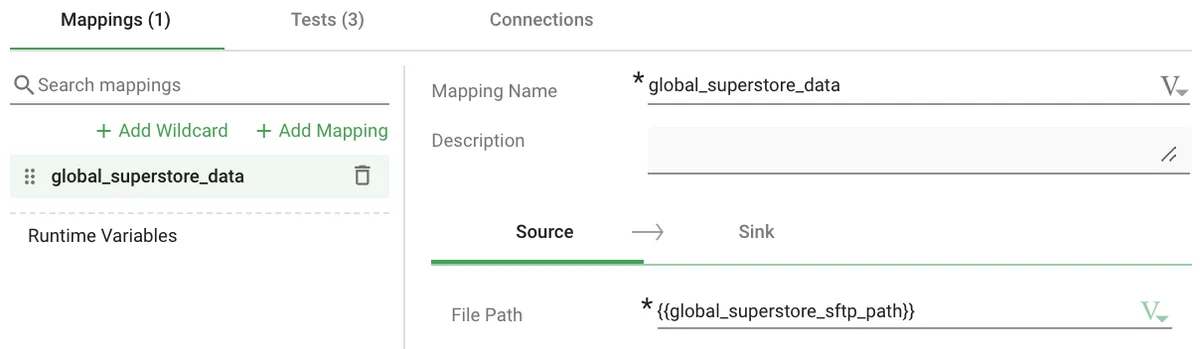
Source mapping
data_sources/source.json
{
  "keys": {
    "global_superstore_data_source": {
      "file-key":
        "{{global_superstore_sftp_path}}",
      "use-only-file-key": true,
      "set-runtime-vars": {
        "size": "sftp_global_superstore_data_file_size",
        "row_count": "sftp_global_superstore_data_line_count",
        "md5": "sftp_global_superstore_data_md5_hash"
      }
    }
  },
Tests tab
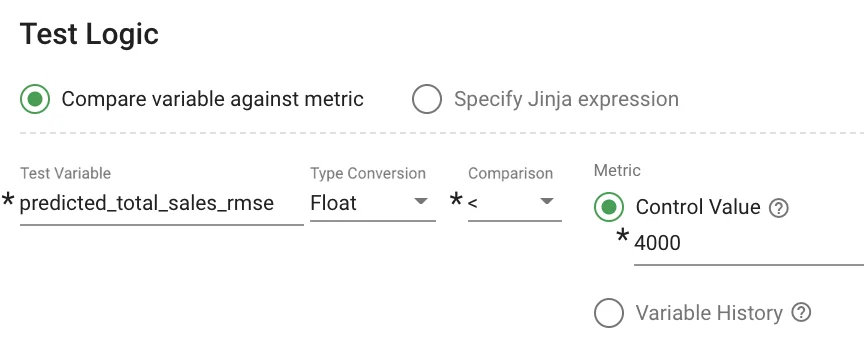
Test Logic section fields
notebook.json
{
  "tests": {
    "validate_predicted_total_sales_rmse": {
      "description": "RMSE for total data",
      "action": "stop-on-error",
      "test-variable": "predicted_total_sales_rmse",
      "type": "test-contents-as-float",
      "test-logic": {
        "test-compare": "less-than",
        "test-metric": 4000
      }
    },
Variables tab examples
Navigate to the Variables tab of a variation to make changes to Base Recipe Values.
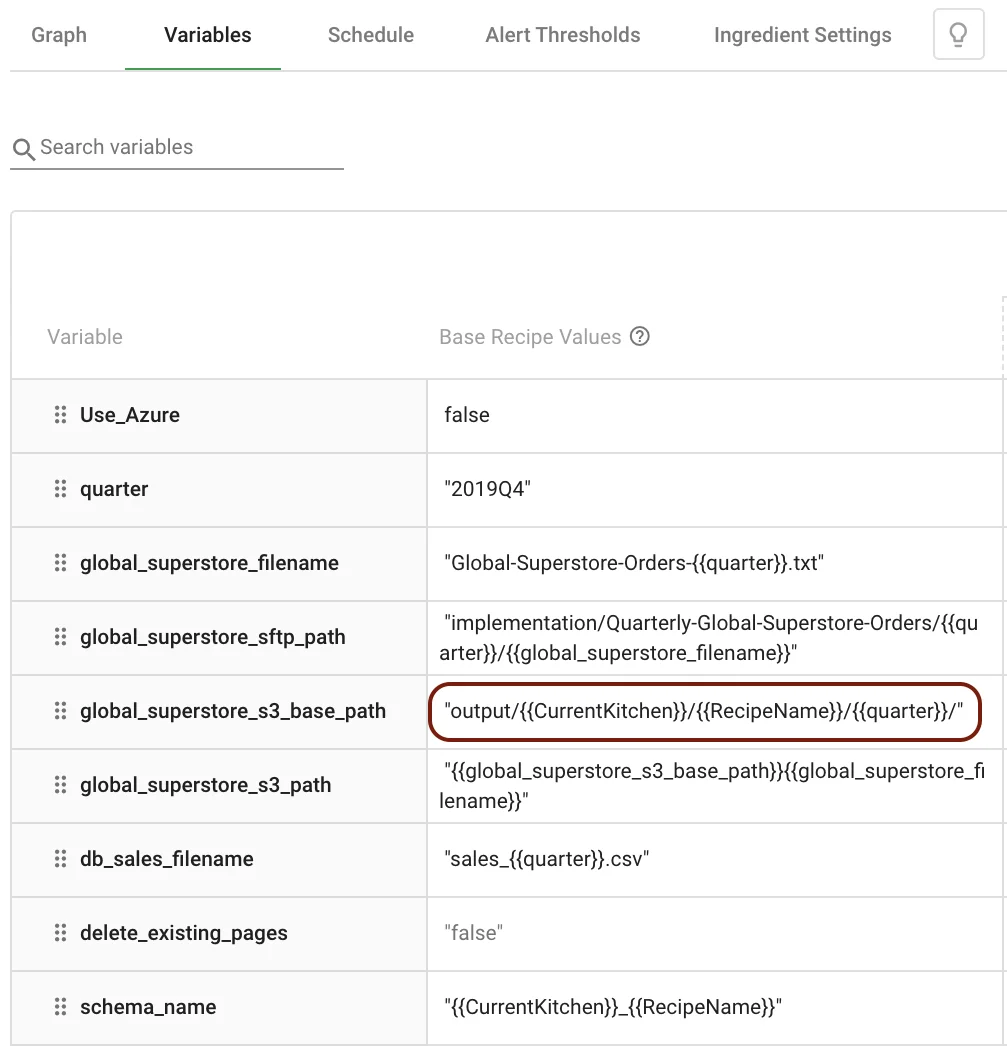
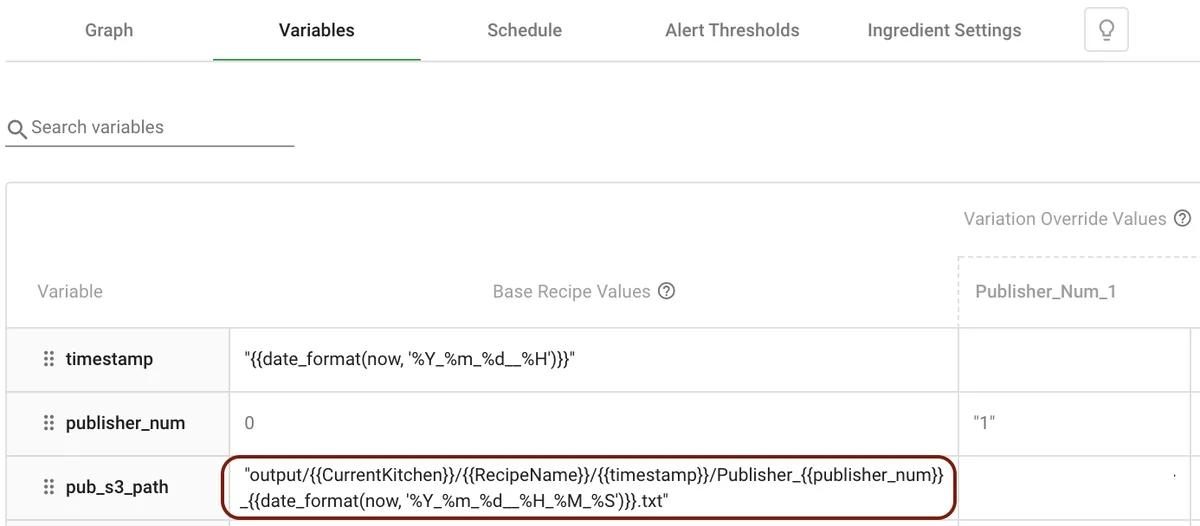
System variables used in variable definitions (CurrentKitchen, RecipeName)
variables.json
{
  "variable-list": {
    "quarter": "2019Q4",
    "global_superstore_filename":
      "Global-Superstore-Orders-{{quarter}}.txt",
    "global_superstore_sftp_path":
      "implementation/.../{{quarter}}/{{global_superstore_filename}}",
    "global_superstore_s3_base_path":
      "output/{{CurrentKitchen}}/{{RecipeName}}/{{quarter}}/",
    "global_superstore_s3_path":
      "{{global_superstore_s3_base_path}}{{global_superstore_filename}}",
    "db_sales_filename":
      "sales_{{quarter}}.csv",
    "delete_existing_pages": "false",
    "schema_name":
      "{{CurrentKitchen}}_{{RecipeName}}"
  },
variables.json
{
  "variable-list": {
    "timestamp":
      "{{date_format(now, '%Y_%m_%d__%H')}}",
    "publisher_num": 0,
    "pub_s3_path":
      "output/{{CurrentKitchen}}/{{RecipeName}}/{{timestamp}}/Publisher_{{publisher_num}}_{{date_format(now, '%Y_%m_%d__%H_%M_%S')}}.txt"
  }
}